Product

Lyra AI Manga Editor: Features and Workflow

Lyra is an AI manga editor for creating high-quality long-form manga from character and story settings. It unifies settings, scenes, page structure, panel layouts, dialogue, and image generation into one creative workflow, helping preserve a work's world and character consistency across a long series.

Start Lyra

Open Lyra

Start the manga creation workflow in the editor itself, from character settings and story planning. Experience the full process of making long-form manga directly in Lyra.

The web app is offered as Lyra, and the iPhone and Android apps are offered as Lyra Mobile.

Use the web app Try on iPhone Try on Android Web app / iPhone app / Android app
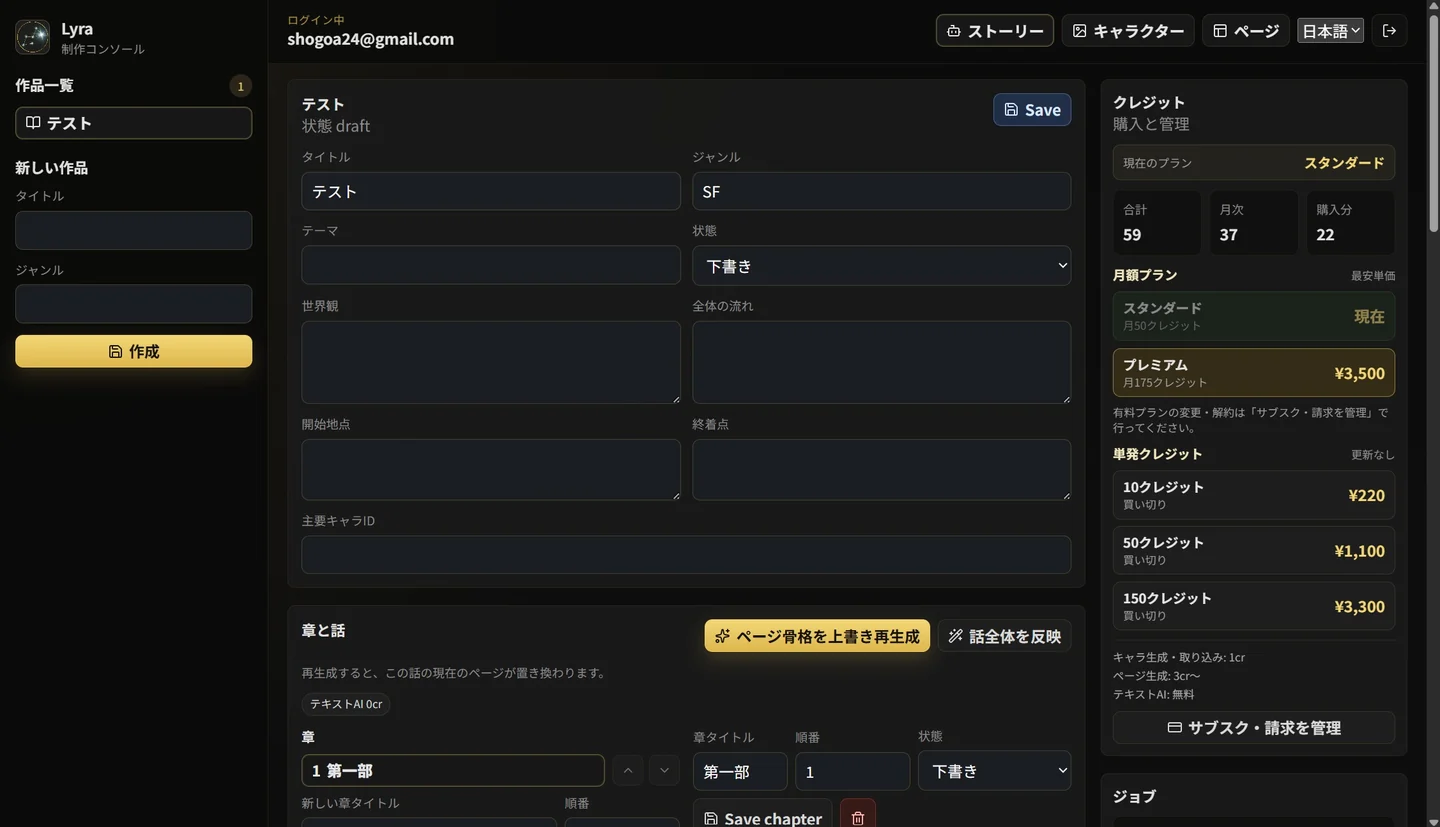
Lyra's full creation console

Overview

Support the planning work before image generation

Lyra is an AI editor designed specifically for long-form manga creation. While conventional image-generation AI creates a single image from text, Lyra supports the planning work that comes before it. It structures the work, characters, story, scenes, pages, panels, and dialogue so AI can assist with manga production. This is a capability not found in prior manga-focused generative models.

Users enter a story and character settings, and AI proposes scene divisions, page structure, the content of each panel, characters, backgrounds, camera angles, and dialogue. Lyra's defining feature is that people can review and edit those proposals before proceeding to manga page generation.

Conventional image-generation AI Lyra
Generate one image from a prompt Build the full manga-creation workflow from a story
Hard to preserve character consistency Maintain characters for ongoing use
Difficult to adjust results afterward People can edit the structure, panels, and dialogue
Centered on one-off image generation Manage production by chapter, episode, page, and panel
Features

Features

Click an image or press Enter to enlarge it.

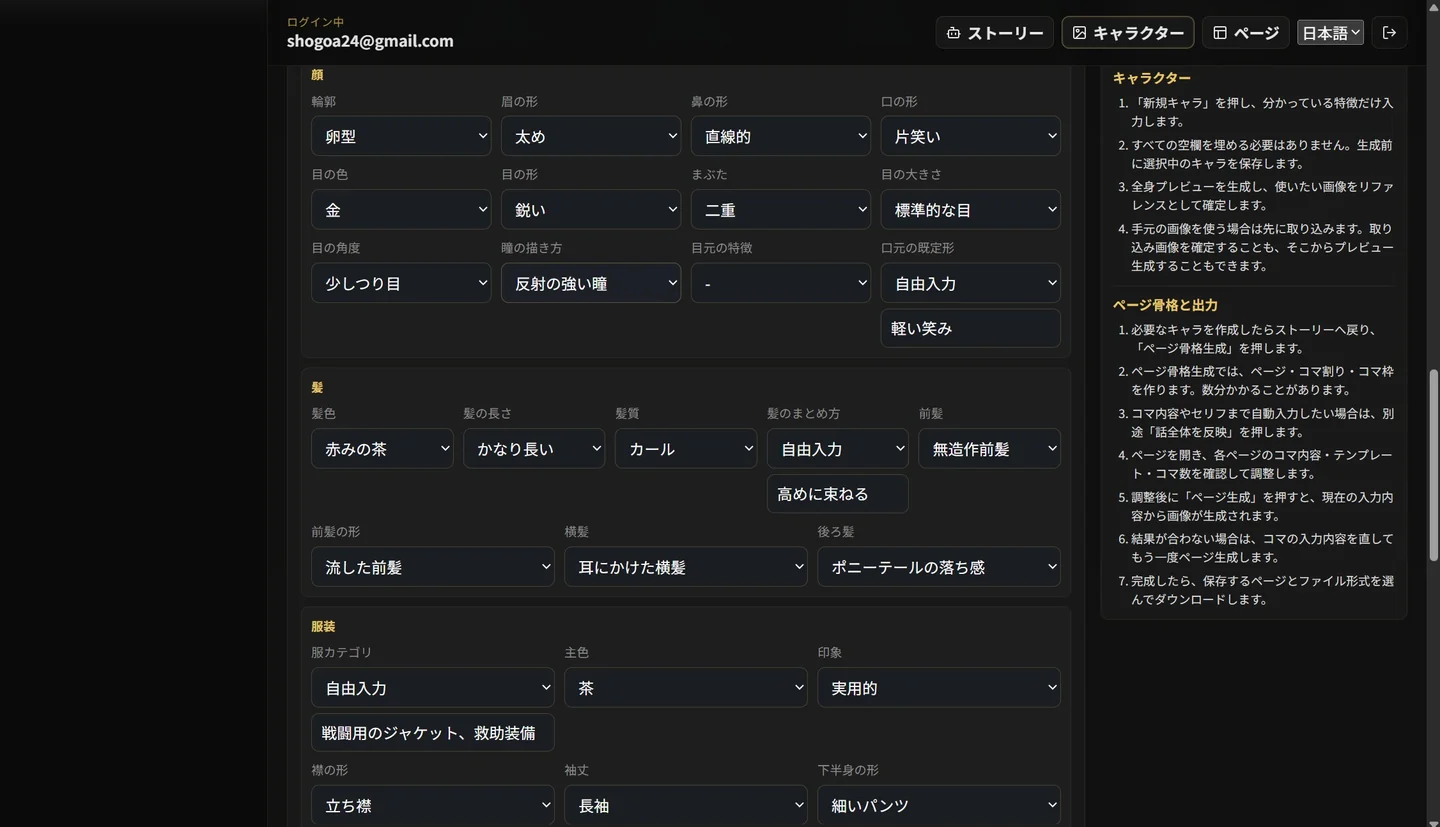
Lyra character settings screen
Character settings screen
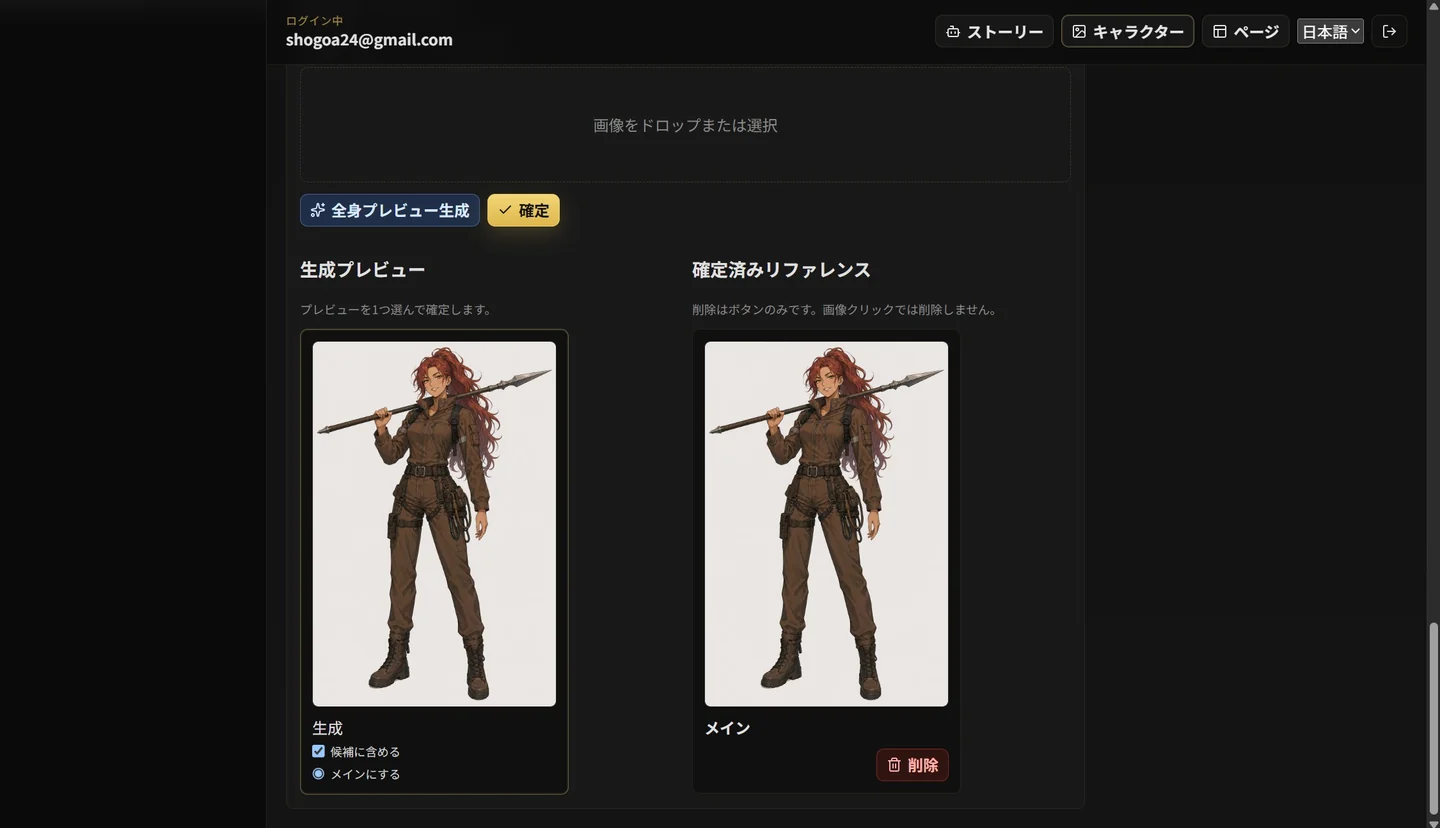
Character generated in Lyra
Generated character screen

01

Character management

Manage each character's appearance, personality, role, and reference images in one place, then reuse them throughout a work. This provides a foundation for reducing drift in manga where the same character appears across multiple pages.

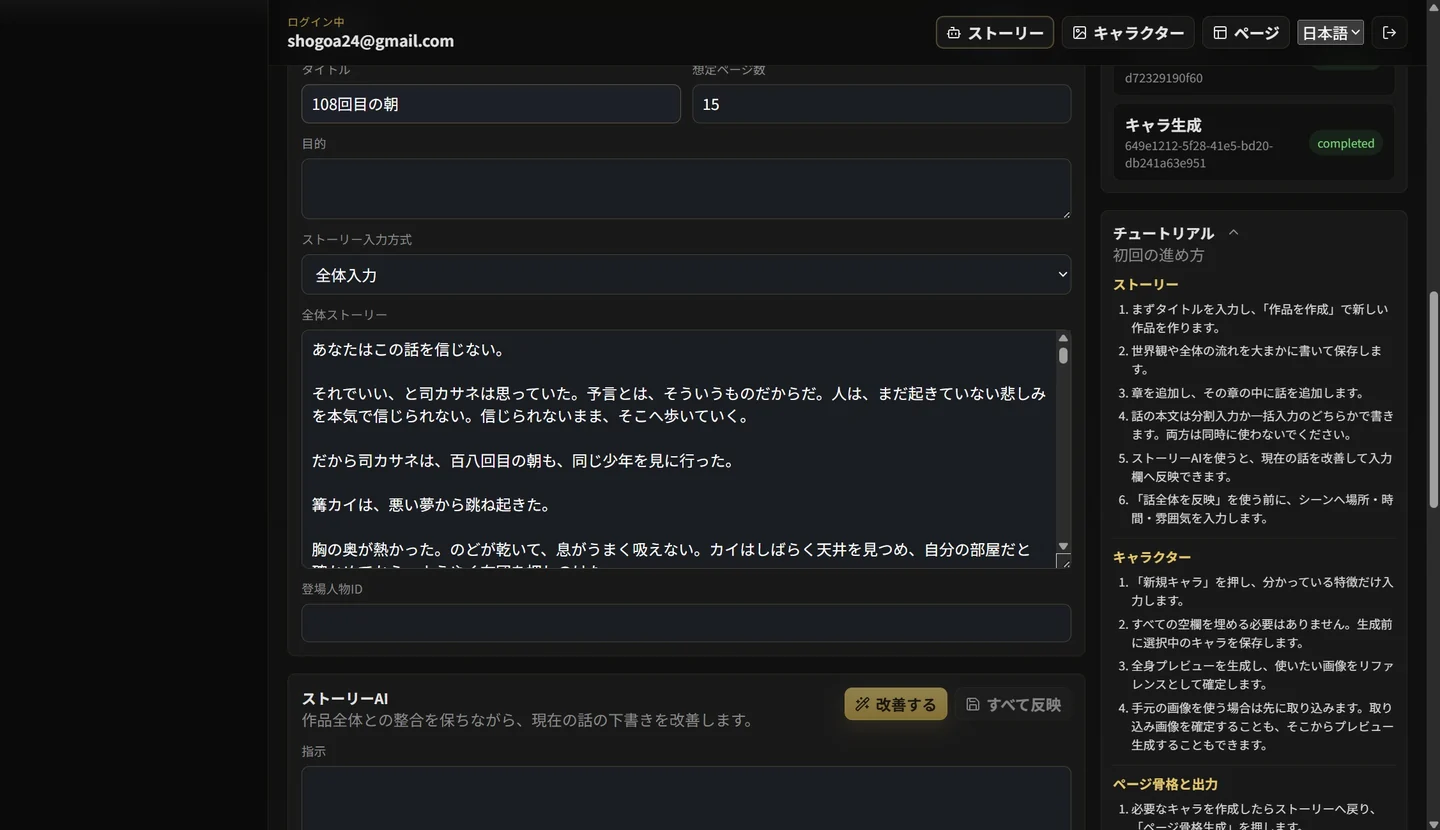
Lyra story input and editing screen

02

Story structuring

Organize an entered story step by step into scenes, pages, and panels. Instead of simply turning prose into images, transform it into scene transitions, characters, and dramatic intent that make it read as manga. With StoryAI, even a fragmentary idea can be shaped into a coherent story. You can also improve the scene description and writing of an entered story with simple instructions.

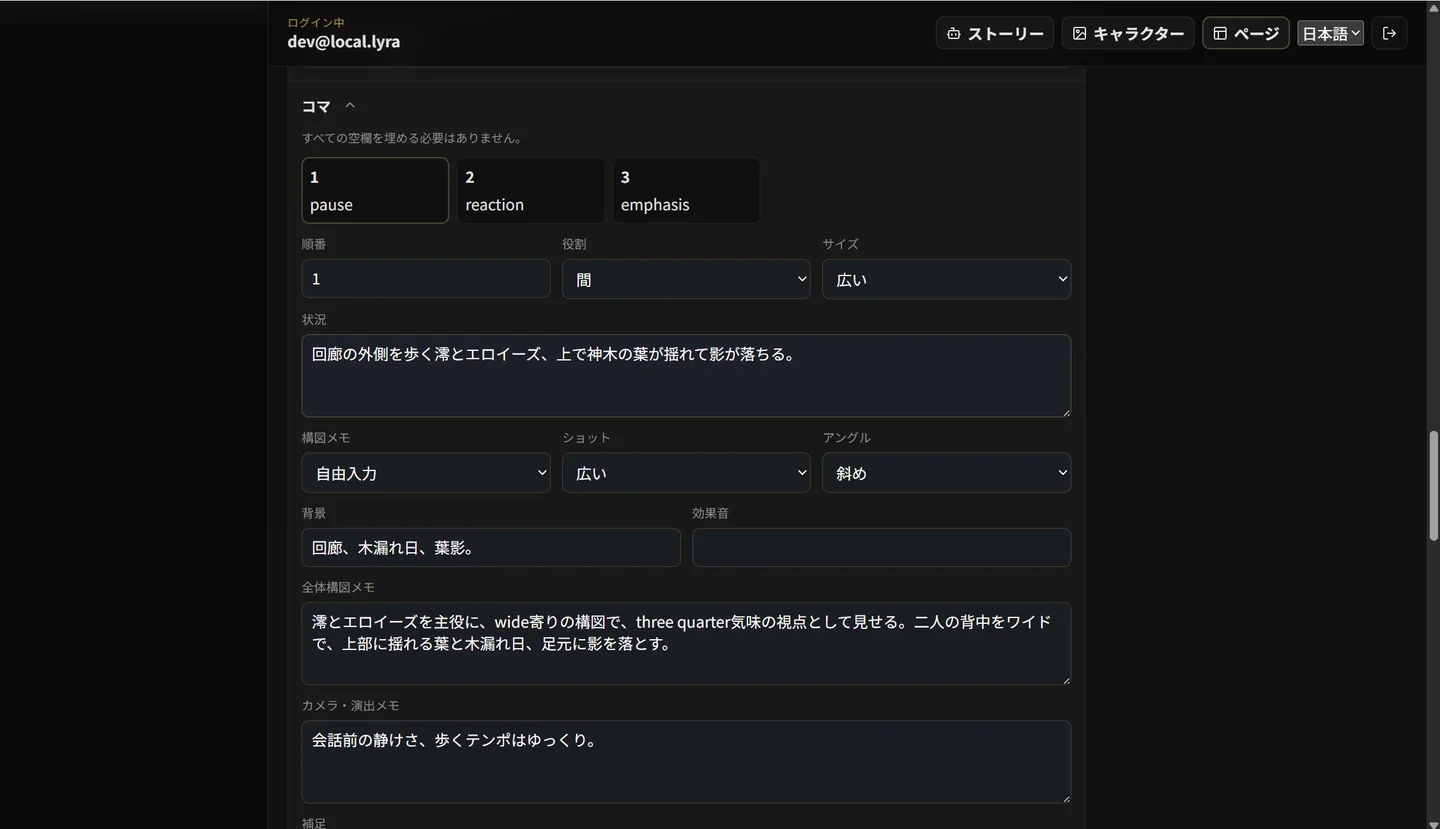
Lyra page and panel editing screen

03

Page and panel editing

Edit the characters, backgrounds, camera angles, dialogue, and panel content proposed by AI. Rather than leaving everything to automatic generation, adjust structure and direction to match the creator's intent before generating.

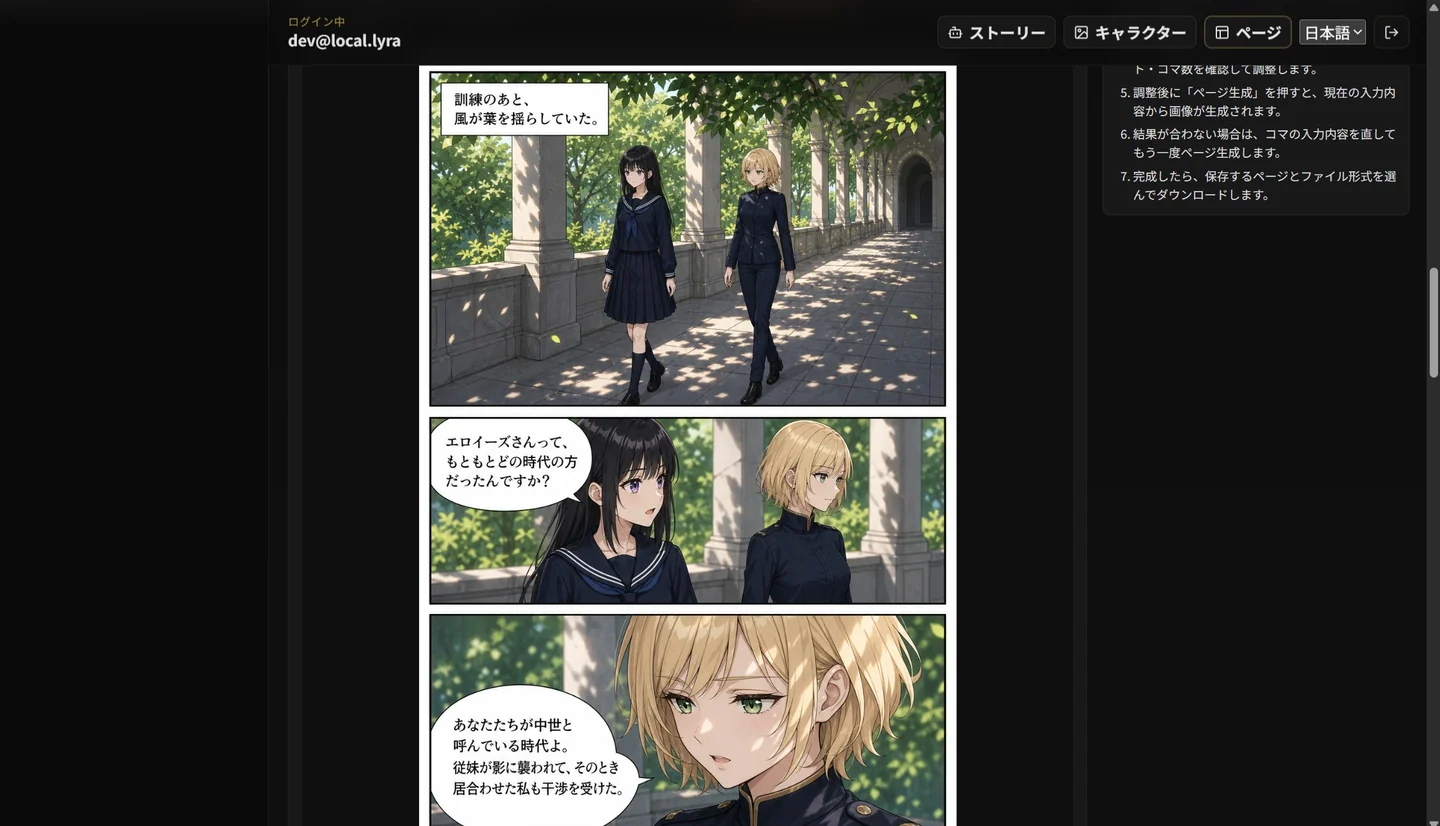
Lyra manga page generation result

04

Manga page generation

Generate manga pages from structured character, scene, and panel information. The goal is not one-off illustrations, but page creation that follows the context of the entire work.

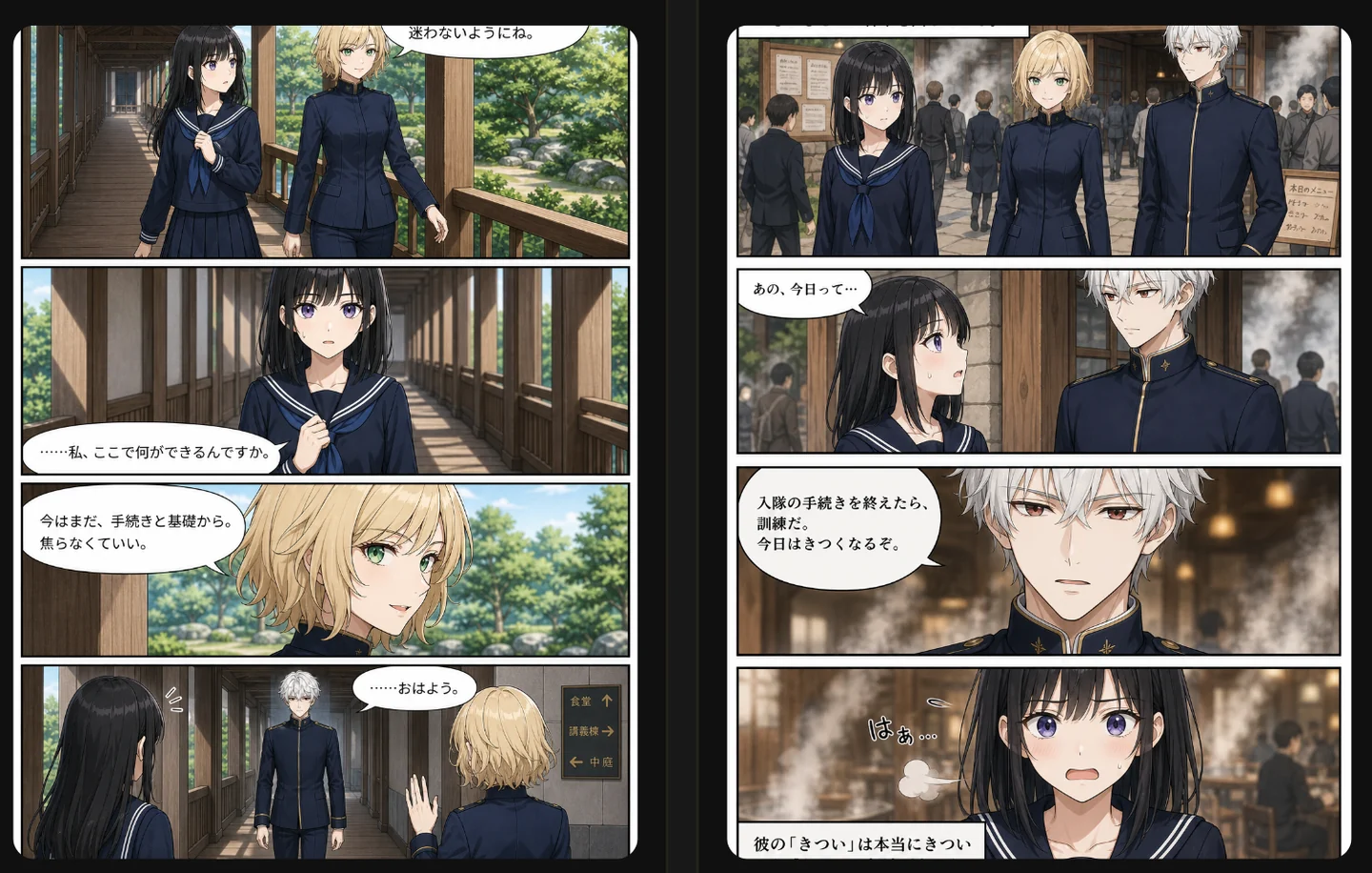
Example manga page that uses reference images to preserve character consistency

05

Using reference images

Use character images and project materials as references to support consistent manga creation across pages. Preserve character appearance and the work's world while reducing the variation that tends to arise in long-form production.

Vision

What Lyra aims to enable

Lyra is not intended to hand manga creation entirely to AI. It organizes a person's story, characters, and dramatic intent into a form AI can work with, improving both creative speed and expressive potential.

By combining AI's generative ability with human editorial judgment, we create an environment that lowers drawing workload and production cost without losing a work's intent. We want more people with ideas to be able to test, refine, and share stories as manga.

Workflow

Creation workflow

Rather than turning an idea directly into an image, Lyra organizes it step by step into the information needed for manga creation. By building up character, story, and panel information, you can continue editing as you move toward generation.

  1. 1

    Create characters

    Register appearance, personality, roles, and reference images as reusable settings for your work.

  2. 2

    Enter your story

    Enter your story's flow, chapter or episode information, and the scenes you want to depict.

  3. 3

    AI suggests a structure

    AI suggests scene divisions, page structure, and content for each panel.

  4. 4

    Review and edit

    Review dialogue, backgrounds, characters, and dramatic intent, then adjust them using the creator's judgment.

  5. 5

    Generate manga pages

    Use the structured information to proceed to manga page generation that reflects the work's context.

  6. 6

    Revise as needed

    Review the generated result and return to settings or panel information to make adjustments when needed.

Try Workflow

Try the creation workflow

Once you understand the workflow, start creating a work, characters, scenes, and page layouts in Lyra. Use your settings as a starting point and try the process through to manga page generation.

Use the web app Try on iPhone Try on Android Web app / iPhone app / Android app

Demo

DEMO

This demo video introduces Lyra's workflow. See how creation progresses from character creation and story input through AI-assisted page and panel planning, editing, and manga page generation.

Creation Guides

Explore each step of manga creation

Explore practical steps for developing ideas, managing character continuity, and editing panels and dialogue, illustrated with real Lyra interface screenshots.